Summary Info

From Ellserve Wiki
Revision as of 15:45, 27 June 2014 by WoodsM (talk | contribs)
Jump to navigation Jump to search

Configuration

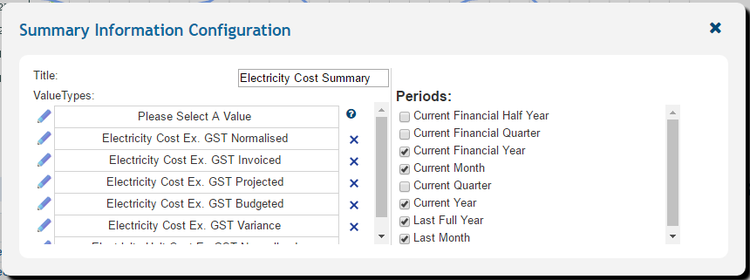
Data Table Configuration Panel
Purpose
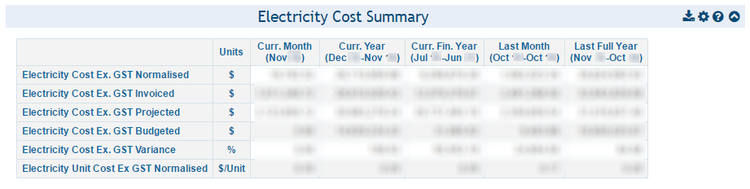
To summarise time series data values in side-by-side columns, by specific time intervals.
Example
To show the most recent and various accumulated electricity consumption data for predefined time periods.
Data Table Display
Settings Description Values
Title
Control display title
Custom
Value types
Values to be reported in table
All time series data values
Periods
Defines time-step for data aggregation
  • Current financial half year (half year to date)
  • Current financial quarter (quarter to date)
  • Current financial year (year to date)
  • Current Month
  • Current (calendar) quarter
  • Current (calendar) Year
  • Last full year (the 12 months previous to the current month)
  • Last month

Usage

The summary info control has no interactive usage features.


►Main Page &#96584Guide to Ellserve &#96584Data Browser &#96584Data Page &#96584Display Controls