Difference between revisions of "Control Default Settings Panel"
Jump to navigation
Jump to search
| Line 17: | Line 17: | ||
---- | ---- | ||
| − | [[Main Page | | + | [[Main Page | ►Main Page]] |
| − | [[Guide to Ellserve | | + | [[Guide to Ellserve | ►Guide to Ellserve]] |
| − | [[Data Browser| | + | [[Data Browser| ►Data Browser]] |
| − | [[Data Page| | + | [[Data Page| ►Data Page]] |
| − | [[Common Display Control Features| | + | [[Common Display Control Features| ►Common Display Control Features]] |
Revision as of 15:54, 27 June 2014

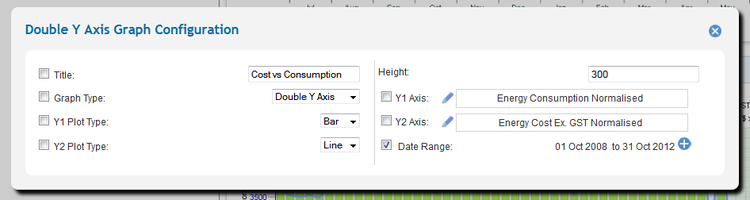
>> To access a control's configuration features:
- Open the control's default settings panel by clicking on the cog icon.

Note: The cog icon is only visible in configurable mode.
►Main Page ►Guide to Ellserve ►Data Browser ►Data Page ►Common Display Control Features