Difference between revisions of "Change Groups"
Jump to navigation
Jump to search
| Line 16: | Line 16: | ||
---- | ---- | ||
[[Main Page | <span style="font-family:webdings">4</span>Main Page]] | [[Main Page | <span style="font-family:webdings">4</span>Main Page]] | ||
| + | [[Guide to Ellserve | <span style="font-family:webdings">4</span>Guide to Ellserve]] | ||
[[Settings | <span style="font-family:webdings">4</span>Settings]] | [[Settings | <span style="font-family:webdings">4</span>Settings]] | ||
[[Account Groups | <span style="font-family:webdings">4</span>Account Groups]] | [[Account Groups | <span style="font-family:webdings">4</span>Account Groups]] | ||
Revision as of 10:52, 19 June 2014

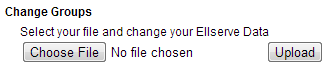
This area allows you to upload new or modified Ellserve Group Data.
>>To upload Ellserve Group Data simply click on "Choose File" and select the csv data file which you wish to upload. Once this is selected click on "Upload" to upload the file.
Note: If you upload a modified version of already existing Group Data, Ellserve will only update the cells which have been modified,
those that are deleted from the modified copy will still exist in Ellserve.
I.e. you can download Group Data, delete the data you don't want modified, do your modifications and then upload it again and the
only thing different will be the modifications you made.
For further information see FAQ's