ifference between revisions of "Saving Report Definitions"
Jump to navigation
Jump to search
| Line 1: | Line 1: | ||
{{#hidens:}} | {{#hidens:}} | ||
[[File:SavedReports.PNG|right]] | [[File:SavedReports.PNG|right]] | ||
| − | Previously saved Report [[Ellserve:Glossary#Definition|Definitions]] | + | Previously saved Report [[Ellserve:Glossary#Definition|Definitions]] can be loaded from this page. |
| + | |||
| + | <span style="color:#2E5894"> '''>> To load a previously saved Report [[Ellserve:Glossary#Definition|Definition]]''' mouse click on the required Definition. This will open the Create a Report section, with all of the details from the selected Report Definition already filled out in the appropriate fields. The Report can then be run as is or details can be edited as in [[Ellserve:Creating a Report|Creating a Report]]. | ||
Revision as of 11:30, 11 December 2012

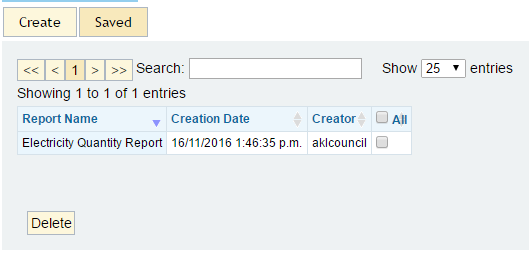
Previously saved Report Definitions can be loaded from this page.
>> To load a previously saved Report Definition mouse click on the required Definition. This will open the Create a Report section, with all of the details from the selected Report Definition already filled out in the appropriate fields. The Report can then be run as is or details can be edited as in Creating a Report.