Difference between revisions of "Account Information"
Jump to navigation
Jump to search

Paul Chapman (talk | contribs) |
(→Usage) |
||
| (17 intermediate revisions by 2 users not shown) | |||
| Line 1: | Line 1: | ||
| + | __NOTOC__ | ||
{| class="wikitable" style="text-align: left; color: black;" | {| class="wikitable" style="text-align: left; color: black;" | ||
!Width="100" Align="Center"|'''Purpose ''' | !Width="100" Align="Center"|'''Purpose ''' | ||
| Line 49: | Line 50: | ||
|} | |} | ||
| − | + | ===Usage=== | |
| − | + | The account information control has a number of interactive features to identify and display [[Commodity Accounts#Account browser|account details]]. | |
| − | |||
| − | + | ---- | |
| − | + | [[Main Page | ►Main Page]] | |
| − | + | [[Guide to Ellserve | ►Guide to Ellserve]] | |
| − | + | [[Data Browser| ►Data Browser]] | |
| − | + | [[Data Page| ►Data Page]] | |
| − | + | [[Display Controls| ►Display Controls]] | |
| − | [[ | ||
Latest revision as of 16:03, 27 June 2014
| Purpose |
|
|---|
Configuration


| Settings | Description | Values |
|---|---|---|
|
| |
|
|
|
|
|
|
|
Usage
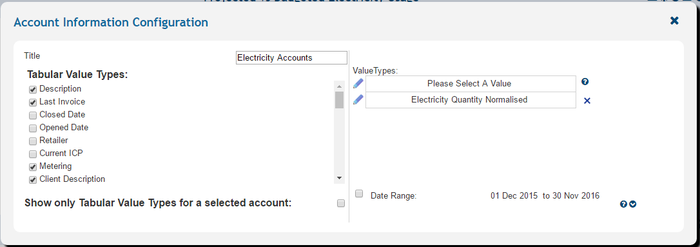
The account information control has a number of interactive features to identify and display account details.
►Main Page ►Guide to Ellserve ►Data Browser ►Data Page ►Display Controls